1. Select three dots (more options)
2. Select open in SharePoint
3. Click on the General folder
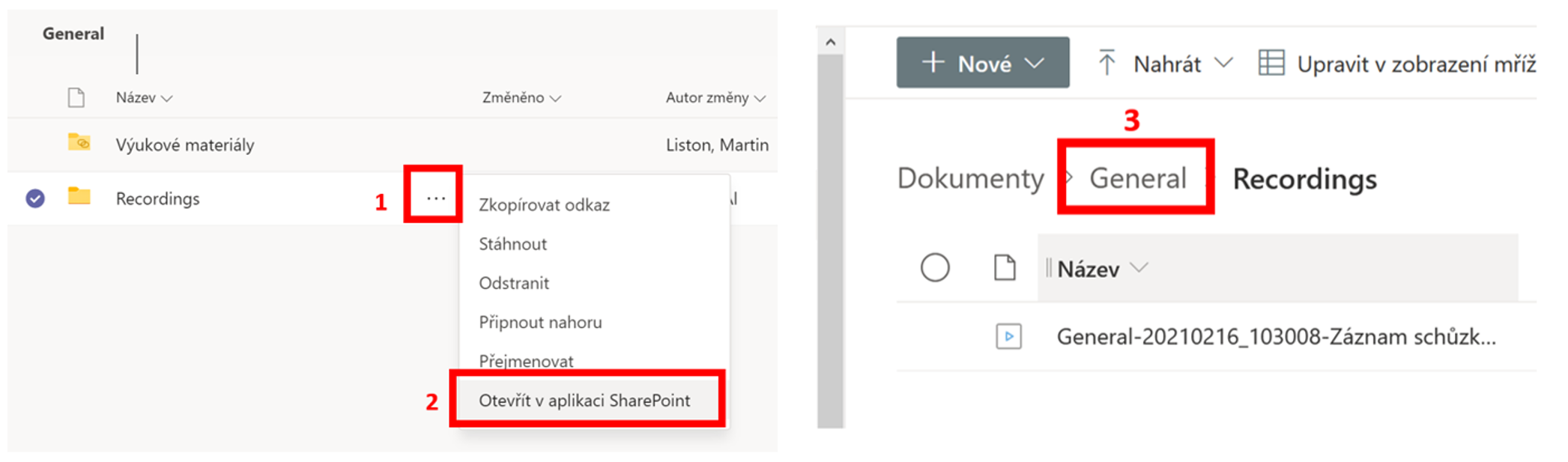
4. Select the three dots (additional options) next to the recordings folder
5. Select Manage access
6. Select the Site members group
7. Expand the Direct access menu and choose Can’t download permission
8. Select Apply


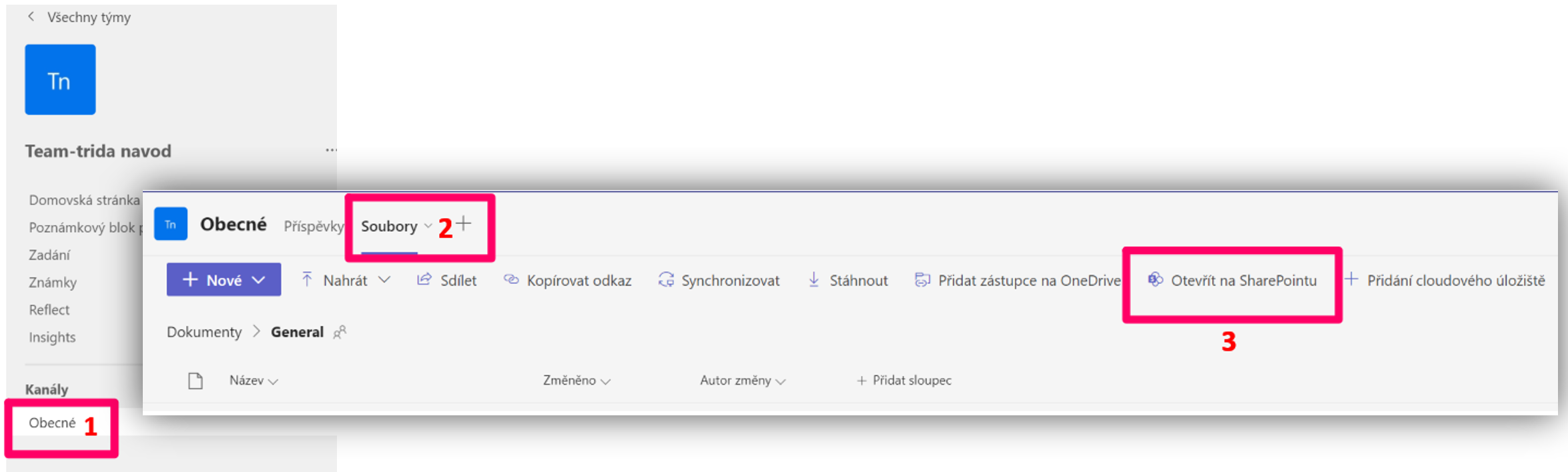
1. Select a channel
2. Select the files
3. Select open in SharePoint
Through the settings in SharePoint, but you need to change the permission type.
Note: By the default settings every team (SharePoint) has enebled permissions, that owners, members and users with edit permission can change sharing settings.
How to disable sharing for members:
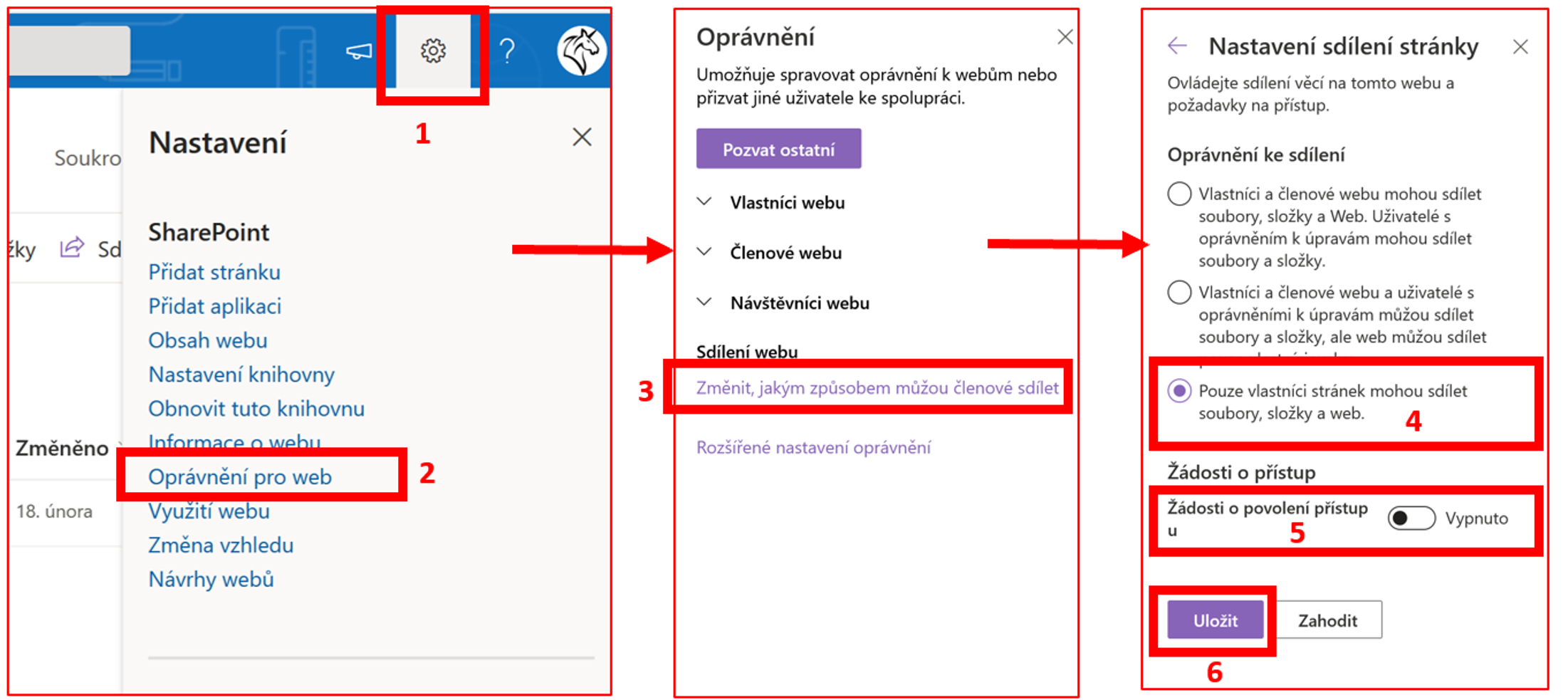
1. Select a setting
2. Select permissions for the site
3. Choose to change how members can share
4. Select only site owners (team owners) can share files, folders and the site
5. We recommend turning off the access permission request
6. Select save
You might find it useful: Setting up and managing access requests